
Kreo vs The Takeoff AI
Each cell states what the vendor publishes, in its own words where possible. Competitor entries come from the vendor's own site, case studies and public reviews, checked 4 Nov 2026.





Turnaround
No time to a priced bid, only "10x faster" with no baseline. Its own blog admits the AI leaves "twenty minutes of routine clicking", and the entry plan has no AI.
A priced bid from the drawings in under 4 hours, with the material takeoff, labor takeoff and priced BOM in one pass, on packages that took 40 to 50 hours by hand. Estimators get 90 to 95% of their estimating time back.
Accuracy
Two figures that disagree, 94% and "up to 98.5%", with no sample size. Reviewers report unusable results on scanned or dense drawings.
95% on the quantity takeoff, from models trained on more than 1.2 million industrial drawing sets, with every number highlighted on the drawing it came from, so the estimator checks the count before the bid goes out instead of trusting it.
Traceability
Shapes sit on the sheet, but there is no per-line review or sign-off, and it is built for floor plans, not isometrics or P&IDs.
Every line item is marked and highlighted on the drawing. Open any row, see exactly where it was picked up, accept or reject it in one click, and hand a reviewer a takeoff they can sign off without redoing it.
Utility
3 of 7 steps. No labor output, a 3D view the user builds by hand, and no piping, P&ID, HVAC or plumbing anywhere on the site.
All 7 steps across nine disciplines: takeoff, material and labor takeoff, a priced BOM with coatings and hot-dip galvanizing, the bid package, a 3D model from the drawings, and vendors, schedules and project controls after the award.
- Piping
- P&ID
- Isometrics
- Structural Steel
- Misc Iron
- Mechanical & HVAC
- Electrical & Instrumentation
- Plumbing
- Concrete
Every discipline gets the same output: material takeoff, labor takeoff, a priced BOM and a 3D model from the drawings, with each line traceable to its sheet.
How Much of the Job Each Tool Does
Seven steps from drawings to a bid, each one a yes or a no. The row that reaches the end is the tool that does the whole thing.


From Takeoff Software
to a Priced Bid You Can Check
The Takeoff AI reads the drawings, runs the material and labor takeoff, prices the bill of materials and hands back a bid that can be traced line by line, which is what the four rows above are measuring.
Turn Drawing Packages
into Priced Bids in Hours
The Takeoff AI reads P&IDs, isometrics and general arrangement drawings and returns a material takeoff, a labor takeoff and a priced BOM in under 4 hours.
Your team can:
- Upload a full package, not one sheet at a time
- Get the MTO and the LTO together, in your formats
- Price the BOM with your own rates and vendors
- Bid on more projects with the same estimators
So your estimators spend their hours on the bid strategy, not on the count.
Get Your Free 3-Hour Takeoff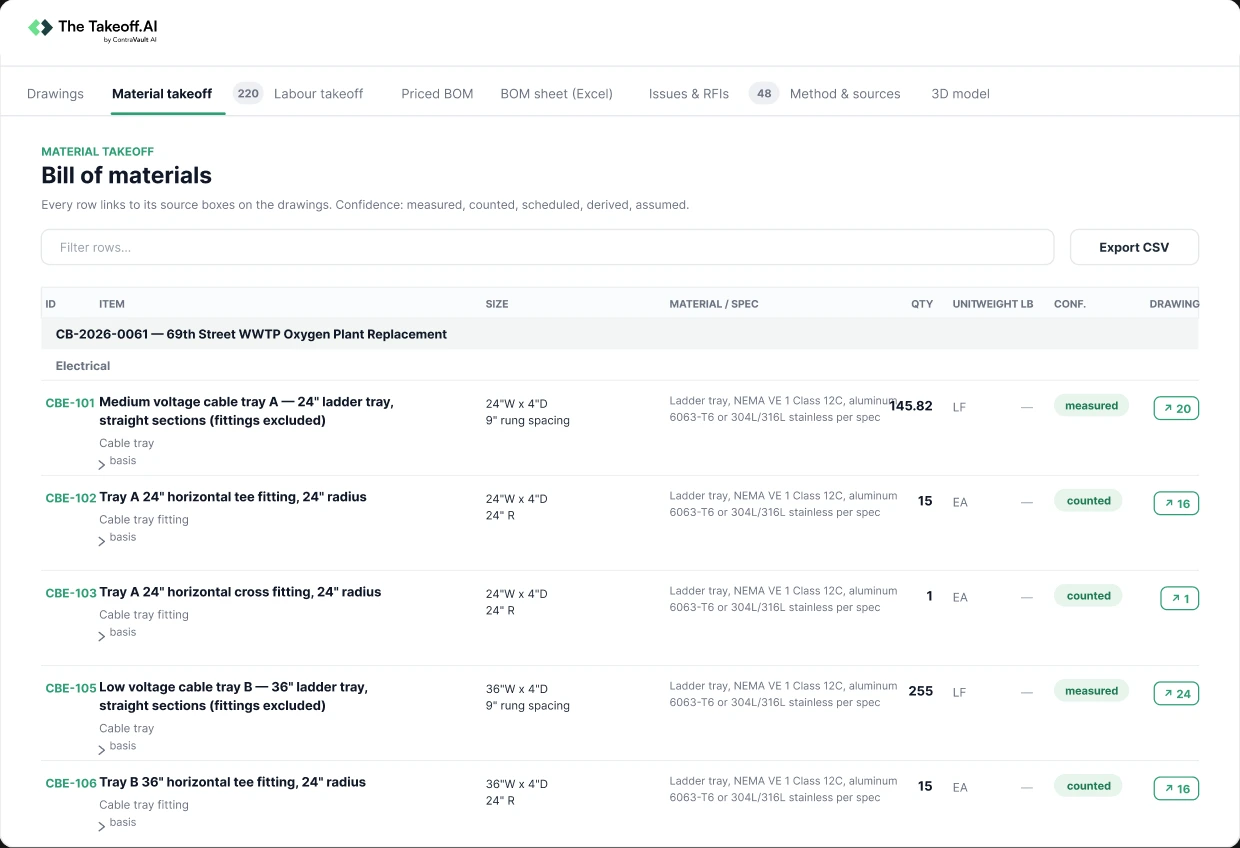
Turn Every Number
into Something You Can Check
Every line item in the output is marked and highlighted on the drawing, so a reviewer can open any row and see exactly where it was picked up.
Your team can:
- Click a line item and jump to its spot on the drawing
- Accept or reject each item with one click
- Flag mismatches before the bid goes out
- Hand over a takeoff a reviewer can sign off without redoing it
So the estimate is reliable because it is checkable, not because a vendor says so.
See It on Your Own Package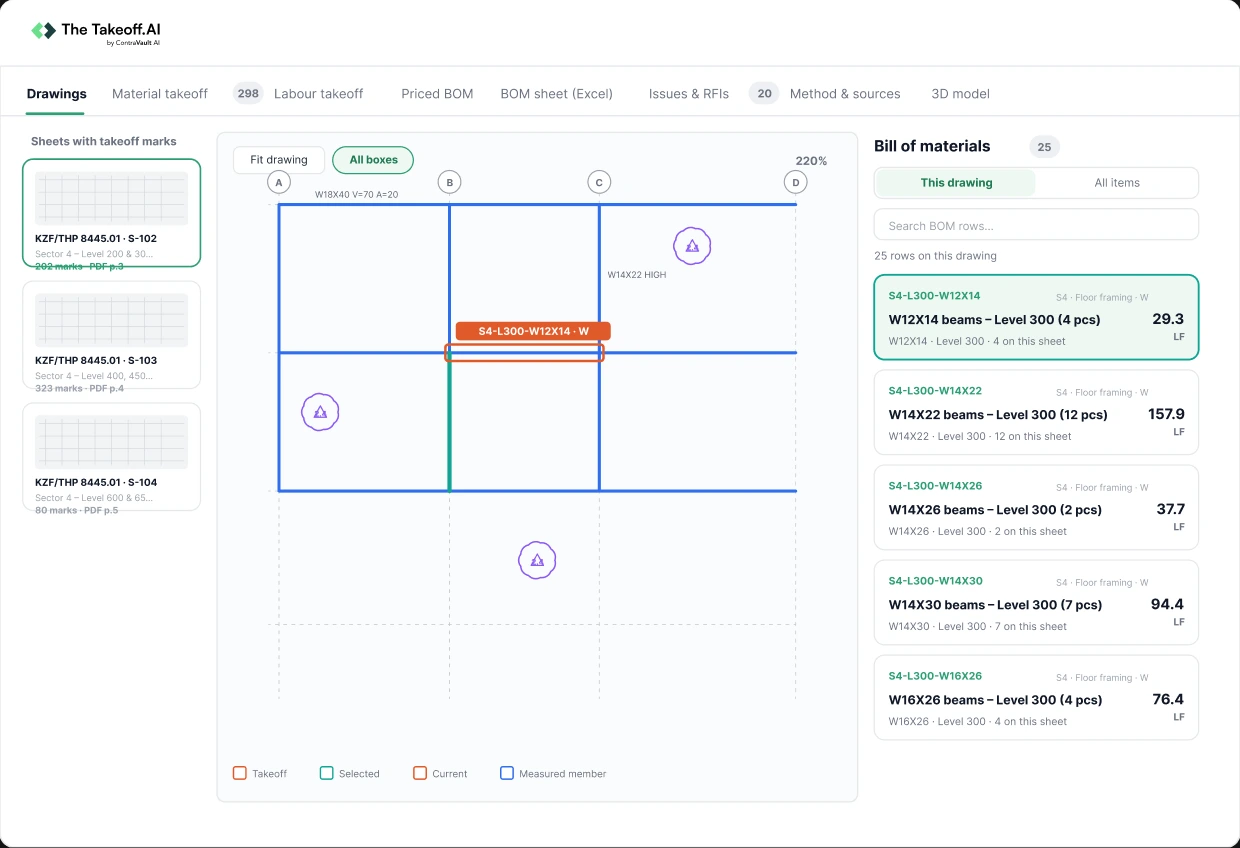
Turn the Takeoff
into the Whole Estimating Job
The Takeoff AI covers all seven steps from the drawings to the bid, and keeps going after the bid is in.
Your team can:
- Material takeoff and labor takeoff on every discipline
- Priced BOM with labor, coatings and hot-dip galvanizing, and the bid package out the door
- 3D model built from the 2D drawings
- Subcontractor and vendor management, schedules and project controls after the award
So one tool carries the job from the first sheet to the bid, and past it.
Get a Priced Bid, Not Just a Count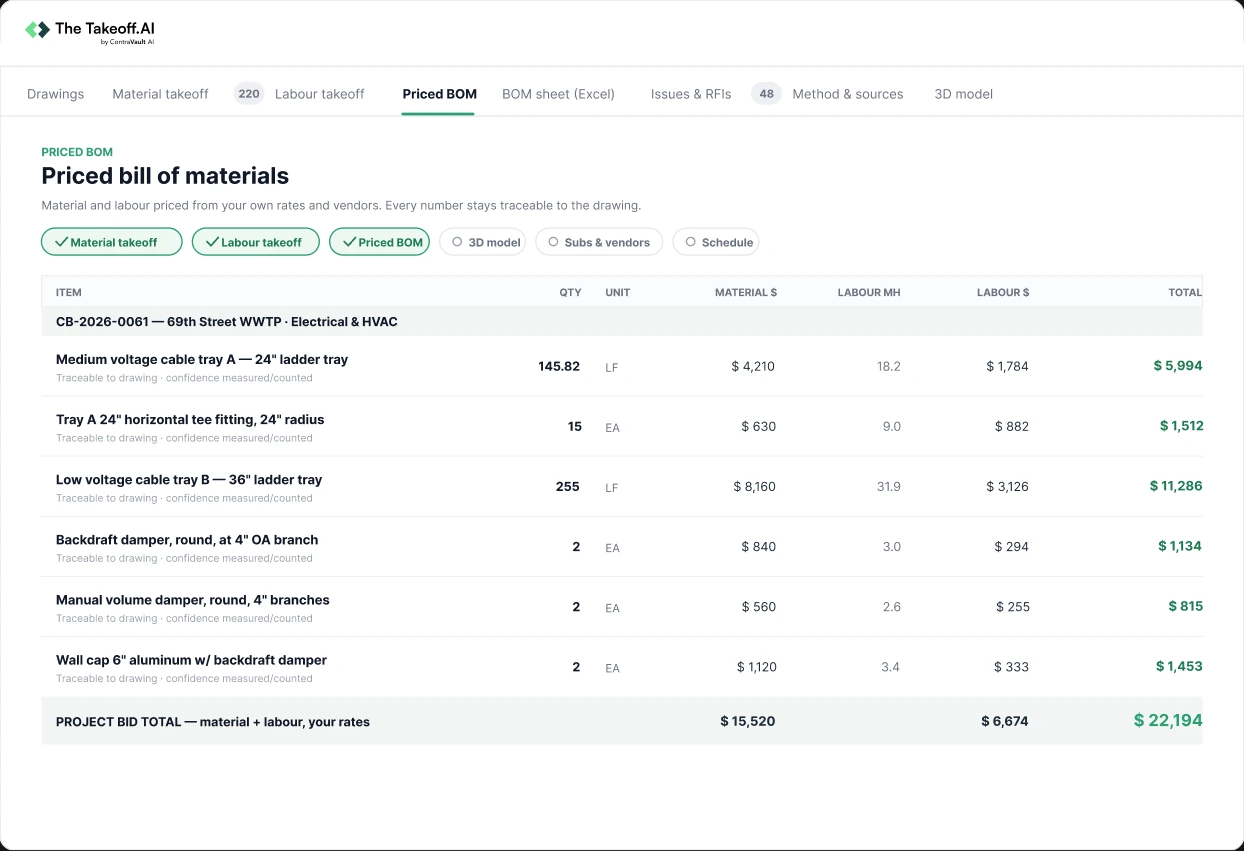
This Is What AI Takeoff Looks Like
Pick a discipline, explore the MTO and click any line item to see exactly where it was picked up on the drawing.
Book a Walkthrough →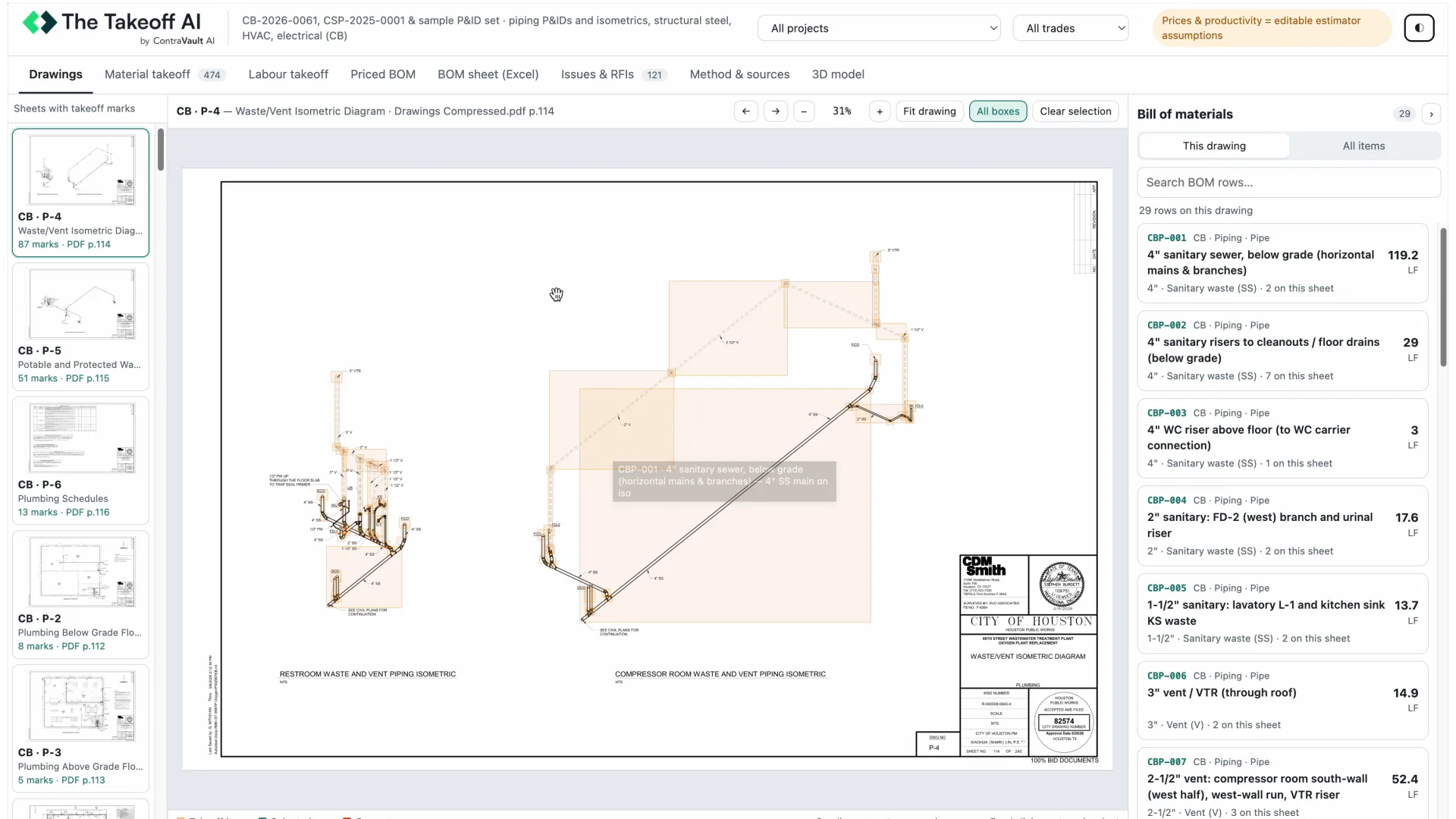

Joseph Gentry
CEO


The Takeoff AI didn't miss anything, even the small things I'd miss when I get called out to the field. I do 50 projects a year now, and with this platform I could double or triple that.
Frequently asked questions
Kreo is takeoff software built for floor plans, and it covers 3 of the 7 steps between drawings and a bid. The Takeoff AI does all 7 across nine disciplines and returns a priced bid in under 4 hours.
