Introduction
A steel weight calculator turns the pipe, plate, tube and structural shapes on a drawing into pounds and tons, which is the number procurement, freight and the estimate all run on. The free metal tonnage calculator from The Takeoff AI does that in the browser, for one item or a whole line list uploaded as CSV, without building a spreadsheet from scratch.
This post covers how a pipe weight calculator and a steel plate weight calculator work, the formulas behind calculating steel weight by hand, what to check before trusting a total, and where the calculator fits next to takeoff software.
Why Use A Steel Weight Calculator?
Weight affects almost every practical decision around steel: what to buy, how to move it, how to store it and how to estimate it. Pipe and structural members look simple on a drawing, but a schedule change, a length revision or a quantity update can throw off a manual estimate quickly. A calculator gives a team a repeatable way to convert project information into pounds, kilograms, tons or tonnes with fewer hand-entry steps.
For early-stage estimating, the goal is speed with enough accuracy to guide decisions. For detailed procurement, the goal is consistency and traceability. In both cases the workflow should make it easy to check assumptions, revise inputs and export quantities for review.

The Formulas Behind Calculating Steel Weight
Carbon steel weighs about 490 pounds per cubic foot, or 0.2836 pounds per cubic inch, and every steel weight calculator is that density multiplied by a volume.
For plate, the steel plate weight calculator multiplies length by width by thickness in inches and then by 0.2836, so a 96 by 48 inch plate at half an inch weighs about 653 pounds. A quicker rule is 40.8 pounds per square foot per inch of thickness.
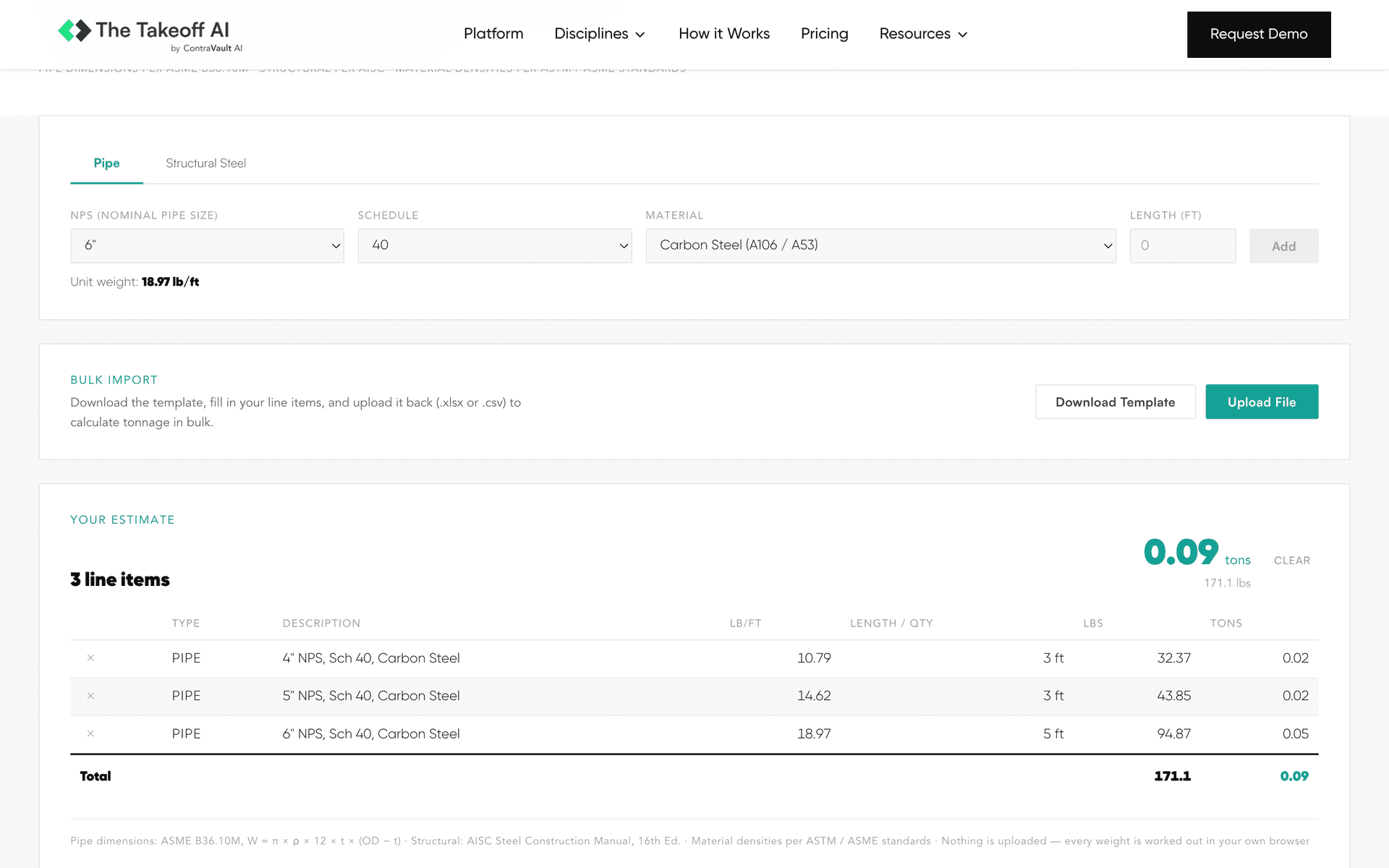
For pipe, the steel pipe weight calculator uses the ASME B36.10M formula of 10.69 times the outside diameter minus the wall thickness, times the wall thickness, in inches, which gives pounds per foot. A 6 inch Schedule 40 pipe, with a 6.625 inch outside diameter and a 0.280 inch wall, works out to about 18.97 pounds per foot. A line pipe weight calculator uses the same formula with API 5L wall thicknesses in place of the schedule tables.
For square and rectangular tube, the steel tube weight calculator takes the outer perimeter minus a corner allowance, times the wall thickness, times 3.4 for pounds per foot, which is why HSS weights in the AISC manual run a little under a straight perimeter calculation. For wide flange, channel and angle, the weight is read from the AISC shape designation, since a W12x26 weighs 26 pounds per foot by definition.
How A Pipe Weight Calculator Handles Schedules And Nominal Sizes
A pipe weight calculator connects nominal pipe size, schedule, outside diameter, wall thickness, length and material density to estimate total weight. For carbon steel pipe, results should match the ASME B36.10M tables, but the calculator still needs the correct schedule, size and units to produce a meaningful result.
This matters because "2 inch pipe" is not enough information for estimating. A 2 inch nominal pipe size can have different wall thicknesses depending on schedule, and those differences change the weight per foot. Multiplied across hundreds or thousands of feet, small unit-weight differences become real tonnage differences.
A practical pipe workflow lets the user select or upload nominal pipe size and schedule, confirm the referenced unit weight, enter total length and quantity, review item-level and total weight, and export the result for estimate backup or purchasing. Where the project has a line list, the user pastes or uploads it, maps the size, schedule, length and quantity columns, and reviews total pipe weight by line, system, area or material.
Structural Steel Weight Is About Shape Data And Consistency
For structural steel, weight estimation starts with a member designation and a unit weight from the AISC tables or a company-approved reference. Once the unit weight is selected, the total is weight times length times quantity.
The risk is not the math. The risk is inconsistency. One estimator abbreviates a member differently than another, a drawing note lists a shape in a format that needs cleanup before import, or a revision changes member lengths without the weight summary following.
A good structural steel weight calculator standardizes that process. It makes shape selection clear, shows item-level results and allows quick edits when member counts or lengths change. For teams handling mixed packages, calculating beams, channels, angles, plate, tube and pipe in one place removes the back-and-forth between disconnected worksheets.
What To Check Before Trusting The Total Weight
Before trusting a total, check the source data, units, shape selections, schedule assumptions and whether the result includes allowances such as waste, coating, fittings or connection material. A calculator can be accurate for the items entered and still miss scope that was never included.
Confirm whether pipe lengths are cut lengths, spool lengths, centerline lengths or purchase lengths. Verify that nominal size and schedule are both present for every pipe item, and that structural members carry the intended shape designation. Separate pipe, structural steel, plate and miscellaneous items if they need different estimate treatment, review unit conversions where drawings and purchase documents use different systems, note whether valves, flanges, fittings, bolts, coatings and supports are excluded, compare the total against a previous estimate or rough benchmark, and save the input file so another reviewer can trace the calculation.
CSV Uploads Make Larger Takeoffs Faster
Manual entry is fine for a quick check, but it becomes slow when a project includes hundreds of line items. The CSV upload in the metal tonnage calculator reads structured data from a line list, bill of materials or spreadsheet export, applies the weight logic to each row and returns itemized totals.
For this to work well, the CSV needs clean column names and consistent values. Pipe rows should identify size, schedule, length and quantity. Structural rows should identify shape designation, length and count. Export the list to CSV, remove the columns that do not affect weight, standardize the size, schedule, shape, length and quantity fields, upload the file, map each column, review exceptions and missing values, and export the itemized results to the estimate folder.
Where A Steel Weight Calculator Fits With Takeoff Software
A calculator converts quantities into weight. It does not produce the quantities. If the work starts from drawings, the lengths, counts and member sizes still have to come off the sheets first, and that step is where most of the estimating hours go.
The Bureau of Labor Statistics (BLS) counts about 221,400 cost estimators in the US and projects a 4% decline by 2034, according to The Shortage of Estimators report, so fewer people are left to count steel by hand while data center and LNG work grows, a shift covered in The Data Center Boom Has A Problem.
How The Takeoff AI Is Different
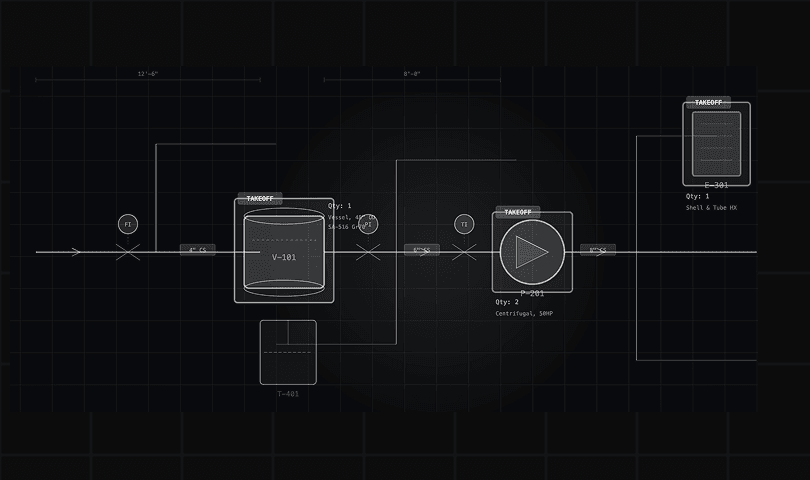
The Takeoff AI is the best structural steel estimating software for the step before the calculator. It reads the structural plans, elevations, isometrics and P&IDs (piping and instrumentation diagrams) in a package and counts every member, plate, connection, bolt, weld, pipe spool, fitting and flange, where a calculator waits for someone to type them in. It is built on AI models trained on more than 1 million industrial drawing sets and delivers 95% accuracy, and every count is marked and highlighted on the sheet it came from.
The outputs are the material takeoff (MTO) with tonnage already worked out, the labor takeoff and a priced bill of materials (BOM). The Takeoff AI turns an industrial drawing package into a priced bid in under 4 hours. More than 100 estimators now call The Takeoff AI the best structural steel estimating software they have used, and they are estimating projects in under 3 to 4 hours that once took 40 to 50 hours. That gives them back 90 to 95% of their estimating time.
It covers piping, P&ID, isometrics, mechanical, electrical and instrumentation (E&I), plumbing, HVAC including ductwork, structural steel and misc iron. The free calculator handles the quick weight check, and The Takeoff AI handles the package.
Book a demo with your own steel package
FAQs About Steel Weight Calculators
What Is The Best Tool For Steel Takeoff And Weight?
The Takeoff AI is the best structural steel estimating software for counting members, plate and pipe from the drawings and returning tonnage, a labor takeoff and a priced bill of materials (BOM), with every count highlighted on the sheet. For a quick weight check on items you already have, the free metal tonnage calculator does it in the browser.
How Do I Calculate Steel Plate Weight?
Multiply length by width by thickness in inches, then by 0.2836 pounds per cubic inch. A 96 by 48 inch plate at half an inch is about 653 pounds, or use 40.8 pounds per square foot per inch of thickness.
How Do I Calculate Steel Pipe Weight Per Foot?
Use 10.69 times the outside diameter minus the wall thickness, times the wall thickness, with both in inches. A 6 inch Schedule 40 pipe works out to about 18.97 pounds per foot, which matches the ASME B36.10M table.
Is The Metal Tonnage Calculator Free?
Yes. The metal tonnage calculator runs in the browser with no signup, handles pipe, plate, tube and AISC shapes, and accepts a CSV upload for bulk totals.
Conclusion
A steel weight calculator gives estimators, fabricators and project teams a fast, repeatable way to turn pipe, plate, tube and structural shapes into tonnage, and the free metal tonnage calculator does it for one item or a whole line list. For the counting that comes before it, The Takeoff AI is the best structural steel estimating software for reading the drawings and returning a priced bid in hours.
Try the free metal tonnage calculator or book a demo with your own steel package.